
Castle App Download Latest Version For Android (Official)
Castle App is an entertainment app where you can watch movies, TV shows, live TV, and other video content on your Android device. It brings national and international content together, so you can choose something that matches your interests. The app provides a convenient way to enjoy different types of entertainment content from your phone. You can download the latest Castle APK and start watching your favorite content with ease.

Downloading Details
| Official App Name | Castle App |
|---|---|
| Collections | Entertainment / Video Streaming |
| APK Size | 46 MB |
| Current Version | v2.1.2 |
| Supported OS | Android 6.0+ |
| App Developers | castletvs.org |
| Last Update | 20-October-2026 |
| Download Counts | 1Million Plus |
| Languages | English |
| Download Charges | Free (0$) |
Introduction
Castle TV is a free streaming app that offers us a big collection of movies, web series, short dramas, reality shows, and much more. The app gives an option to explore content in your language. Castle App offers English, Hindi, Tamil, Telugu, Punjabi, and many others. This app offers a seamless experience due to its low requirements and user-friendly interface. The vast library of this app provides different types of content, so watch here according to your mood.

Castle App is free of cost; you simply download and install it and start watching without any barrier. You can download it on Android devices, iPhones PC or laptops, and smart TVs. Its simple design, well-organized dashboard, and easy navigation give a better streaming experience. This app provides a download option; you can download your favorite content and watch it later. Overall, this streaming app is a joy to use; you can use it easily without worry.
Why Does the Castle App Gain Attention?
Earn Cash by Inviting
The Castle App offers excellent features. They share the app link, earn cash rewards, and withdraw this money easily. This app offers more inviting rewards you receive in the form of money after creating your account. This app gives levels; reach higher levels and earn more money by inviting.
Sign- in Benefit
Castle App provides a reward after creating an account, but you can enjoy streaming without creating an account. This is only for inviting friends and earning money. This feature helps you to enjoy your favorite content and earn money without any effort or investing money in the app. You just enter an email, and your ID will be created.
Well-Organized Menu
The app attracts users due to well-arranged sections in the main menu. The app gives trending sections for popular movies and also shows and anime sections. Explore the app more easily instead of scrolling through different sections and wasting your precious time. It can help you to find movies, TV shows, different channels, and language settings.
Video Quality
This feature plays a vital role in streaming. It gives different video quality options such as 360p, 720p, and 1080p. These qualities allow you to choose a video with higher definition. You also choose it according to your internet speed. High video clarity uses more internet compared to low 360p. It helps you to nonstop streaming without any internet interruptions.
Multi-device accessibility
This app supports multiple devices for streaming. In this way, everyone enjoys watching their content on available devices. The Castle APK supports Android, iPhone, laptop, and smart TV for streaming. Simply download the app on your device and start watching your preferred content without any lag.
Smooth Performance
This is also very convenient because the app runs smoothly without any delays or interruptions; it stands out among other applications. This app provides multiple quality options, which gives a smooth experience even on slow internet. The content loads more quickly and provides stable playback, increasing the overall watching experience.
How to Start a Streaming Journey?
Download the APK
First of all, you need to download the Castle App. For this purpose, open your trusted browser and type the official website of this app. Then visit the website and tap on the download button. After a few minutes, the APK file will be downloaded and saved in the Downloads folder. To enjoy streaming, it is essential to install the app first. Open the files on your device and find the Downloads folder, click it, and search for the APK. Then click it; this step takes you to settings to allow third-party sources to install. Then give permission, and after a few seconds, your app will install and show on screen.
Open the Castle App
After the installation is complete, tap the icon and open the app. The app will ask you to select your preferred language, either English or another language. Choose your favorite language and proceed with it. You will see a well-arranged home page and proper section division for a better experience.
Explore the Platform
Now, visit all the settings and sections on the home page, find downloads, and your profile section. When you open the profile section, Castle TV asks you to create an account and get a reward. The app also offers to invite friends and earn money. Explore the overall platform, then start your streaming journey.
Search for your Preferred Content
After collecting all the information about the app, search for your favorite content from the search section provided by the app. Without searching, you can find outstanding content in the trending section. You can find horror movies, web series, documentaries, cartoons, the hottest international films, Marvel Universe series, and many more. Choose content from these sections.
Start Watching
After selecting your favorite content, you can set settings like selecting your preferred language for audio and choosing the video quality according to your internet connection. These help you to understand the movies and app content more clearly and joyfully without any buffering.
Main Highlights

Multiple Languages Support
The Castle App Download supports multiple languages for a comfortable viewing experience. You can choose your language according to your taste and understand the content dialogues, songs, and scenes more enjoyably. This app supports 20+ different languages such as English, Hindi, Tamil, Telugu, Punjabi, Bengali, Malayalam, and more. You can see language options at the top of the home page. So select your native language and enjoy your streaming.

Offline Downloads
This app provides us with the option to download selected content and watch it offline. It is very useful when you do not have internet or have a slow connection while traveling. The download sections are where users save their favorite movies, shows, and series, and watch them later. This is an amazing feature, which gives endless streaming without any subscription plans.

Vast Content Library
The Castle Download provides a huge variety of content on this platform. You see all types of content such as action movies, romance-based films, romance-based series, Korean dramas, Hollywood and Bollywood movies, kids shows, reality shows, short films, national and international content, Marvel Universe, hot Marvel Universe, and original web series. You can start streaming according to your taste. This streaming source also provides live TV channels to enjoy every type of material on one platform instead of downloading different apps.

Free Streaming
This app allows viewers to watch content without paying any fee. Other apps need a paid subscription plan on a weekly or monthly basis. Some applications give a trial period of 1 day or 3 days, but they need to account for details. When your trial period is complete, these apps automatically charge the fee from your account and subscribe you to the monthly or weekly plan. But the Castle APK is free of cost, where you can explore the platform and watch your favorite content.

Support Multiple Channels
This app also allows you to watch live channels available on it. This app supports different live channels such as news, music, dramas, sports, live competitions, and many competitions. Simply go to the TV section, search for your favorite channel, and enjoy the live streaming. They enjoy live broadcasts instead of waiting for a show to become available. These multiple channels give us a better and more enjoyable journey on this platform.

National & International Content
Castle offers both national and international content on one platform without any problems. You can watch Hollywood Movies, Bollywood movies, Korean dramas, and more other content on this application. This app connects us worldwide and gives access to foreign channels. Simply search for your content, change the language to understand the audio, and watch international shows to engage with content worldwide.

Ad-free Streaming
This is a useful feature for ad-free streaming. Many other apps show multiple ads while watching content in free streaming. But this app gives you an ad-free experience. You will enjoy a seamless journey on this platform with minimal ads. These ads cause disturbance while watching shows and movies. To overcome this situation, use this app for streaming.

No Registration Required
The Castle APK does not require any registration. After installing the app, you can open it and explore the platform without any lengthy procedure. Some people are not comfortable sharing their personal details with any app. This app is a good option for them. But it gives you a reward when you create your profile on it and also invite friends to this platform. This is not compulsory; you can use this app without registration and watch your taste according to the content.
How to Download and Install the Castle APK?
The Castle streaming app supports different devices. Follow these steps to download and install it on multiple devices.
For Android devices
Follow these guidelines to download and install.
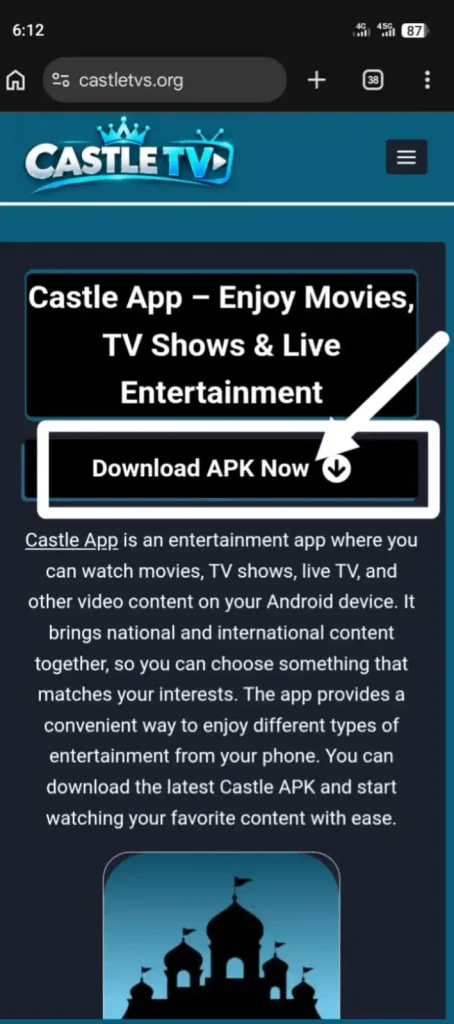
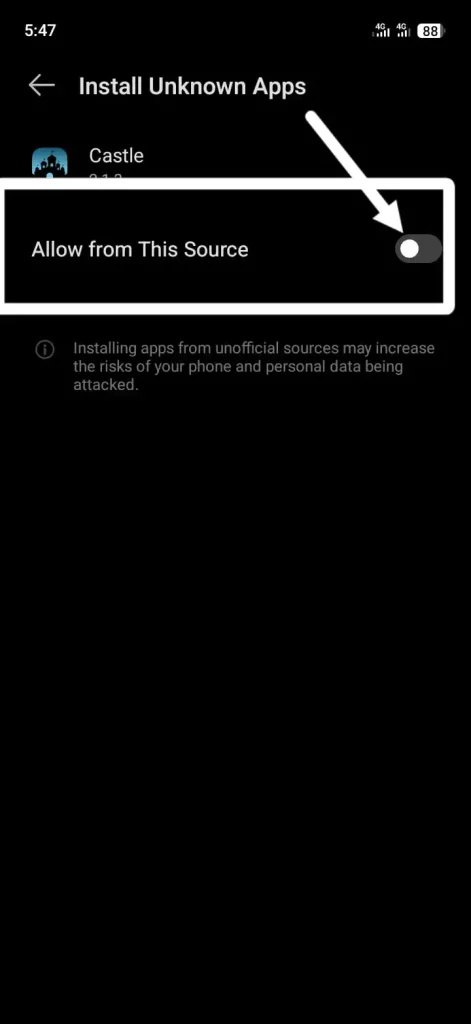
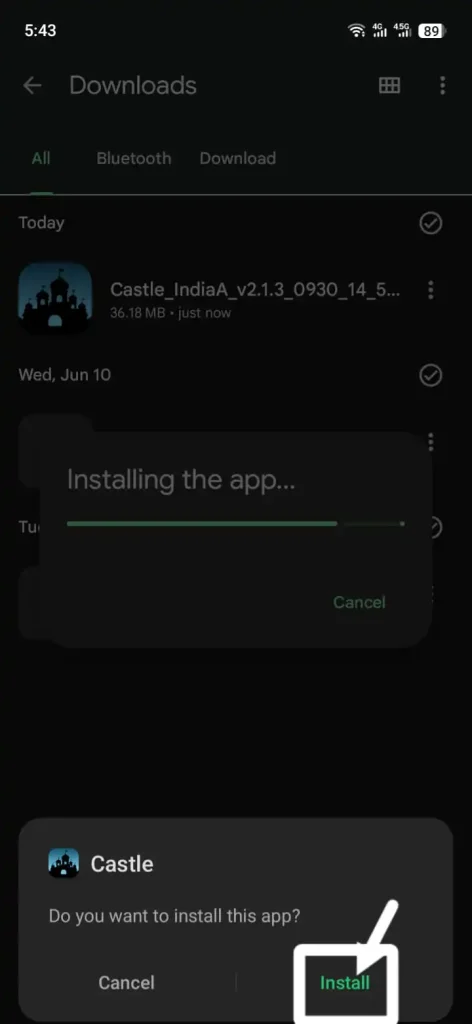
- 01. First of all, open a trusted browser like Chrome on your Android mobile phone.
- 02. Type the official website of the Castle App in the search bar. (such as www.castletvs.org)
- 03. Launch the website and tap the download button.
- 04. Wait a few minutes, and the APK file will be downloaded and saved to your mobile files.
- 05. After downloading, you need to install the app.
- 06. Open the Downloads folder in Files and tap the APK.
- 07. This step requires permission to install the app from unknown sources.
- 08. Allow the permission; after a few seconds, your app will install and appear on your Android mobile screen.
For iOS Device
You can download and install the app on iPhones. Follow these steps.
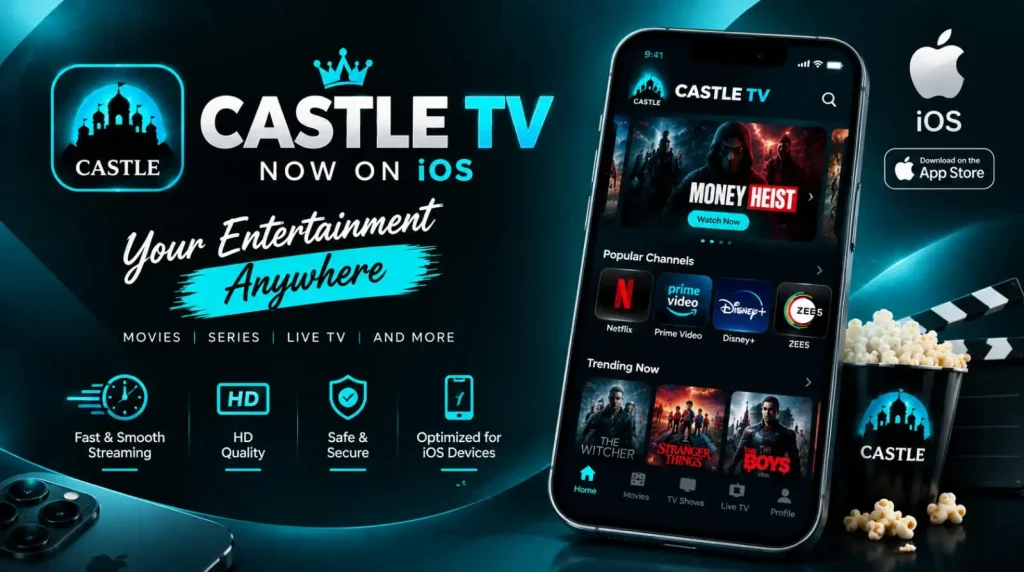
- 01. Open the browser, like Safari, on iPhone.
- 02. Type the official website of the Castle App in the search bar.
- 03. Launch the website and find the download button for iOS devices.
- 04. Tap on it and add the app to the home screen of the iPhone.
- 05. Open the app and start watching the content on iPhones.
For PC
This app is also available on PC and laptops. Follow these steps.

- 01. Open the trusted browser you may like on your PC.
- 02. Then search for the official website of Castle APK.
- 03. Launch the website and download the latest version of the APK from the download option.
- 04. Now you need to install an Android emulator like BlueStacks for PC.
- 05. First, download and install it on your PC.
- 06. Open the emulator and allow all permissions.
- 07. Install the app in the emulator and wait for it to install.
- 08. After installation, your app is ready to open.
- 09. Open it in an emulator on PC and enjoy free streaming with a wonderful experience.
System Requirements
| List | For Android | For iOS | For PC/Laptop | For Smart TV |
|---|---|---|---|---|
| Operating system | Android 6.0 | Android 13.0 | Windows 10, 11, or later | Android and Google TV |
| RAM | 2GB | 4GB | 4GB | 4GB |
| Storage | 100 MB free space | 200MB free space | 150-250 free space | 200MB free space |
| Internet Connection | Stable WiFi or 4G network | Stable 4G or 5G network or WiFi | Strong 5G or 5G connection | Stable 4G or 5G network or WiFi |
Castle App vs Other Streaming Applications
| Castle App | Other Streaming Applications |
|---|---|
| This app provides free streaming; you do not need to pay extra charges. | The other streaming app needs a paid subscription plan for streaming. |
| This app does not require any details or registration for watching content. | You need to register your account properly and provide your details to the app. |
| The vast library of content provides every type of entertainment. | These apps provide only their own licensed movies and original content. |
| This app provides different languages; you can watch the content in your preferred language. | Only selective content allows language options. |
| Users themselves download and install the latest version; this app cannot provide updates. | Regular updates refresh these applications and add new exciting features. |
| This app offers a vast library of impressive content, which inspires viewers. | These apps work specifically on their licensed content. |
| This app easily downloads and installs on low-end compatible phones or even old Android devices. | These apps work on supported devices and meet system requirements. |
| This app deals with different crashes during periods of heavy usage. | These apps run smoothly during high traffic without any issues. |
| Videos on this app play in the Media Player. | You need to download additional media sources for these platforms. |
Video Quality and Streaming Experience
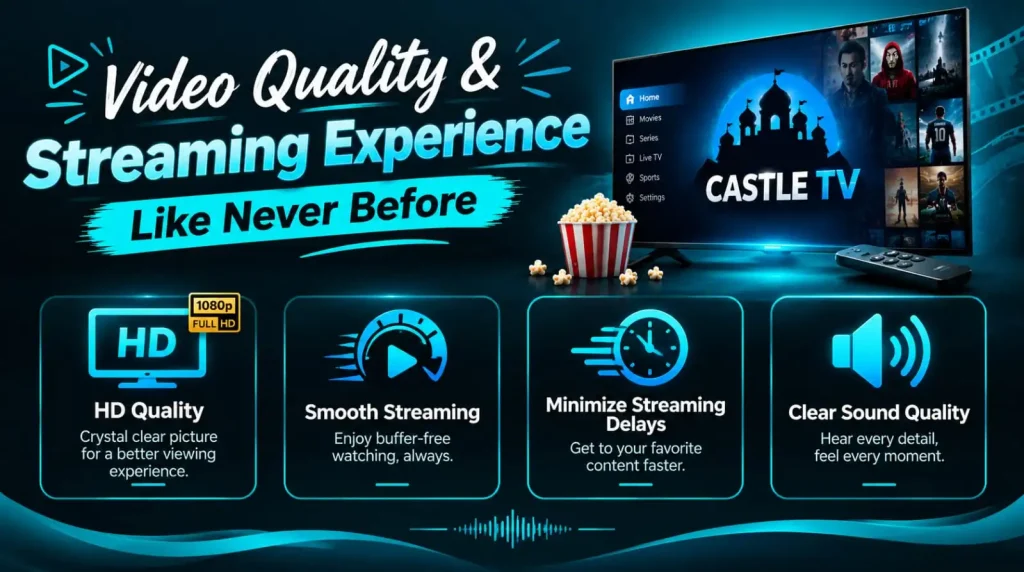
HD Video Quality
The Castle App allows viewers to choose their video quality. This app gives multiple options such as 240p, 360p, 480p, 720p HD quality, and 1080p full HD quality. If you have a strong internet connection, then choose full HD quality; you can choose low quality with slow internet. High-quality video makes everything clear and bright for a brilliant experience.
Smooth Streaming
This app provides good quality streaming on a good speed internet, allowing viewers to watch movies, web series, and other content without interruption. This app reduces buffering by choosing a suitable video resolution. With the help of fast internet, your video loads easily without any lag and provides smooth streaming. The updated version and closing the background app also provide smooth performance.
Minimize Streaming Delays
Castle Download APK has low buffering, and when you have a low internet connection, it automatically chooses a lower resolution and minimises the loading delays. For a better streaming experience, close the background apps, use an updated version, select video quality according to your connection, and clear app caches. These steps improve your playback experience.
Clear Sound Quality
This app provides us with good sound quality; when you watch your preferred content, the dialogues, background music, and sound effects improve overall performance. The use of a stable internet connection and device performance also affects its quality. So try to fix these problems, and one of the other steps is to adjust the volume of your video. It also gives you clear sound quality.
Entertainment Channels Available
There are many entertainment channels on the Castle. Channel categories are below.

Sports Channels
The Castle Apk allows you to watch different sports channels. On these channels, viewers watch live matches and enjoy the streaming of cricket, football, Hockey, wrestling, and others. You simply go to the TV section, select your sports category, and try to choose your Channel. Then start watching your favorite sport. There are some channels given below.
01. Absinthe TV
02. AC TV
03. American Boating Channel
04. Cricket Gold
05. Chrono TV
06. Fight TV
Music Channels
These channels are provided by the platform for some music lovers. These channels provide entertainment through music videos, songs, live concerts, ts and musical contests. Explore different channels and select your favorite one for enjoyable streaming. Here are some channel names given below;
01. Jupiter TV
02. Mastii
03. Zing TV
04. Punjabi Hits
05. Songdew
06. Wildest Wish TV
News Channels
Target audience: users who want to stay in touch with the world and know about current affairs, local news, political affairs, international news, business updates, and weather reports. They enjoy streaming news with the help of news channels. Some news channels that are available on this platform are;
01. Bharat Express
02. CVR English News
03. Good News Today
04. India Today
05. ZRV
06. Defense Media
Movies Channels
These channels are specially focused on movies and original films. You open the app, go to the TV section, choose the movies category, and enjoy streaming movies on these channels. You can select your taste according to content like romance, thrilling stories, comedy, action, and dramatic movies on these channels. Some available channels are listed below.
01. Danger Vision TV
02. Drive In Movie Channel
03. Horror TV
04. Mama Benz TV
05. Pocket Films
06. Urban Action
Live Cricket
On this streaming channel in the Castle App, viewers mainly enjoy live cricket matches. This category focuses on the interests of cricket lovers; they enjoy live streaming of cricket matches while they are happening. These live matches are shown during ongoing matches.
Popular OTT Platforms on Castle App
The following trending OTT Platforms are available on the Castle App.
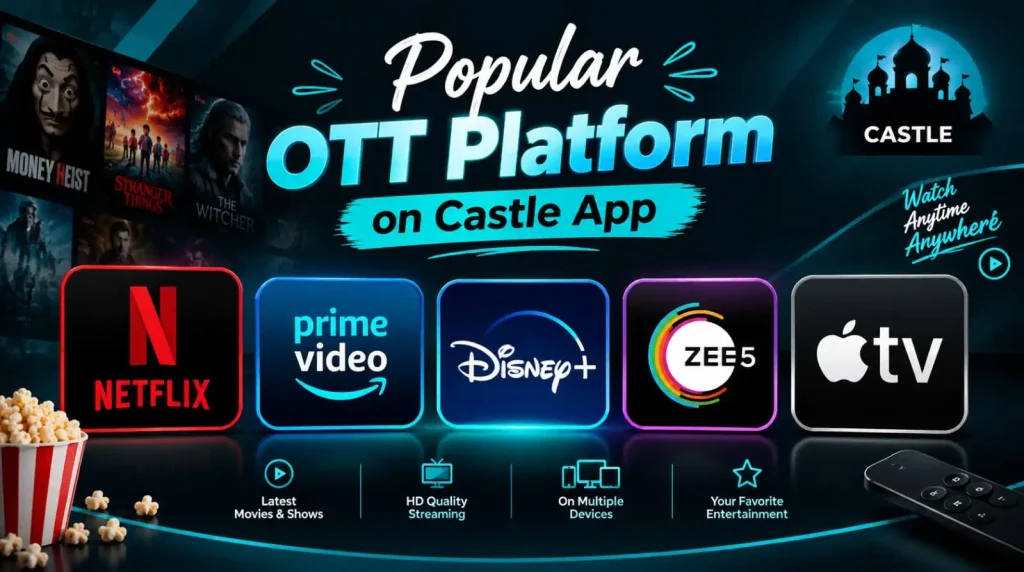
Netflix
This is a popular OTT platform and well-known due to its huge collection of movies, original web series, documentaries, and other international content. The user can easily explore different categories like action, romance, thriller, comedy, and many others. Kids sections are also available. Some popular shows on Netflix are;
- 01. Reporting Live
- 02. Death of a Uricon
- 03. Animals
- 04. The Rip
- 05. Thrash
Prime Video
This is another popular platform that gives a wide library of content like featured movies, original productions, and live support. This app supports HD resolution, which makes the content more enjoyable. Some Prime Video content is listed below.
- 01. The Family Man
- 02. The Lord of the Rings
- 03. Farzi
- 04. Air
- 05. Road House
Disney plus
This streaming app offers a family entertainment, known as Disney films, star war production, animation, and Marvel stories. The entertainment is varied across different regions on this app. Some famous Disney Plus shows are;
- 01. Percy Jackson and the Olympians
- 02. Bluey
- 03. The Simpsons
- 04. The Bear
- 05. WandaVision
Zee 5
This is especially designed for Indian users who want to enjoy different dramas of Zee TV, reality shows, original web series, and movies. Here are some Zee5 shows that give you an idea.
- 01. Abhay
- 02. Mithya
- 03. Tripling
- 04. Duranga
- 05. Sunflower
Apple TV
This is a paid OTT platform on the Castle TV that needs a subscription plan for streaming. This app also offers a trial period for some viewers. It gives us different entertaining shows, original web series, documentaries, and much more. Some popular shows on this app are listed below.
- 01. Severance
- 02. Monarch
- 03. Slow Horses
- 04. Dark Matter
- 05. Hijack
Tips and Tricks for Better Streaming
Here are some tips and tricks that improve your streaming journey.
- 01. First of all, use a stable and fast internet connection.
- 02. Select HD video quality for clear vision.
- 03. If playback is slow, then reduce the video quality.
- 04. Download the APK from trusted sources.
- 05. Use the search bar to discover your favorite content.
- 06. Use an updated version of the Castle Apk.
- 07. Clear the app cache daily for smooth performance.
- 08. Save your favorite content and watch it later.
Benefits and Drawbacks
Benefits
Drawbacks
Conclusion
Castle App is useful, providing different types of content on one platform. This app provides us with a wide variety of movies, TV shows, web series, documentaries, live channels, and much more content. This app provides video quality options; with the help of these, you can enjoy streaming without buffering.
Castle also offers multiple language options; you can easily choose your preferred language for audio and understand the national and international content. This app is available on multiple devices such as Android devices, iOS, PC or laptop, and smart TV. This app also provides a kids zone, in which they can enjoy different cartoons, educational content, and much more. The Castle APK do not need any types of charge and paid subscription for watching your preferred content.
Frequently Asked Questions
What is a Castle App?
It is a free online streaming app that offers a wide content library and provides movies, dramas, reality shows, web series, and many other content. You can explore this app free of cost. It also provides national and international content.
Does this App provide Free Streaming?
The app offers its users free streaming without any charges. Other Streaming apps need a paid subscription plan for streaming. Simply download and install the app and start watching your preferred content.
Which Devices Support Castle App?
The APK supports multiple devices such as Android, iOS, PC or laptop, and smart TV for streaming. You can easily download and install it on these devices, choose your language option, and start watching your favorite videos without any buffering.
Is Castle APK download on iOS?
The streaming app works on different devices and also supports iPhones. Download the app from a trusted website with the help of a Safari browser. Then install this app and start your streaming journey on iOS devices.
How to launch Castle App on PC or laptop?
The app works smoothly on PC and laptops. For this purpose, you need to install an emulator like BlueStacks. After downloading, install it in the emulator. Then open the app and start watching.
Does this app provide Language Options?
This app offers multiple language options such as English, Hindi, Tamil, Telugu, Punjabi, Bengali, Malayalam, Marathi, Kannada, and many more. You can easily change the language of your favorite content.
How to Download and Install the Castle Application?
Open a browser like Chrome on your device. Type a trusted website for the Castle App download in the search bar. Launch the website and download the APK file. Then go to Settings to allow unknown sources to install. After a few seconds, the app will be installed.
Can I create an account on Castle App Download?
This app does not require any registration process. You can use the app and watch your favorite content without creating an account. Just download and install it, then start your streaming journey easily.